Save Email Template - How to Save Gmail Emails
In the past few years, the popularity of email has decreased, and the number of people using it has decreased even further. This has caused problems with the way we communicate, and with the way people use email. In particular, it has become very difficult to communicate with our friends and family using email. The reason for this is that the email we receive from them is often full of images and videos, which cannot be displayed on our phones and tablets. And, of course, the other problem is that we often need to send our friends and family an email to tell them that we want to talk to them.
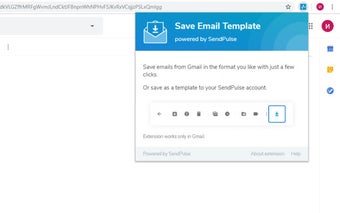
So, we have decided to solve this problem. And our solution is Save Email Template powered by SendPulse. This extension will allow you to save any Gmail™ email as a PDF, PNG or HTML template in one click. It will allow you to save multiple emails as a PDF document with all of the emails in a thread, a zip file with emails as a PDF, as an excel spreadsheet or CSV file, a text file with all of the emails, or as one
With this extension, you can save emails in the following formats: PDF, TXT, HTML, and EML (email archive).
You can also save your Gmail™ emails to Dropbox™ with one click.